Squarespace vs. Webflow vs. Framer: Which one should you pick for your website in 2026?

Web design project on Squarespace for a content creation agency. View project.
Before we get into the details, I want to be completely transparent: I’m a designer who specializes in Squarespace. I have my biases, and that’s precisely why I’ve made the effort to put together this comparison using real data and an unbiased perspective.
I'm not going to tell you that Squarespace is the best platform for everyone, because it isn't. What I will do is help you understand what sets these three platforms apart so you can make an informed choice.
This comparison is designed for you if you're about to launch a new website, or if you've been growing frustrated with your current platform and are evaluating your options. It's not intended for web designers looking for the perfect tool for their studio, but rather for business owners, marketing teams, and studio or agency directors who need to understand the long-term implications of each decision.
Because the platform you choose doesn’t just affect the visual appearance of your website: it determines how much time you’ll spend managing it, whether you’ll need a developer for every small change, how much it will cost to maintain, and how well it will rank on Google. Over the next three to five years, that matters far more than it seems when you’re just picking out colors.
Let’s compare these three platforms based on the factors that really matter when making a decision: robustness, ease of management, technical speed, visual appeal, impact on conversion, and price. And at the end, we’ll summarize which one works best for each situation.
Table of Contents
First: What exactly are these three platforms?
Although all three allow you to create websites, they are based on very different approaches.
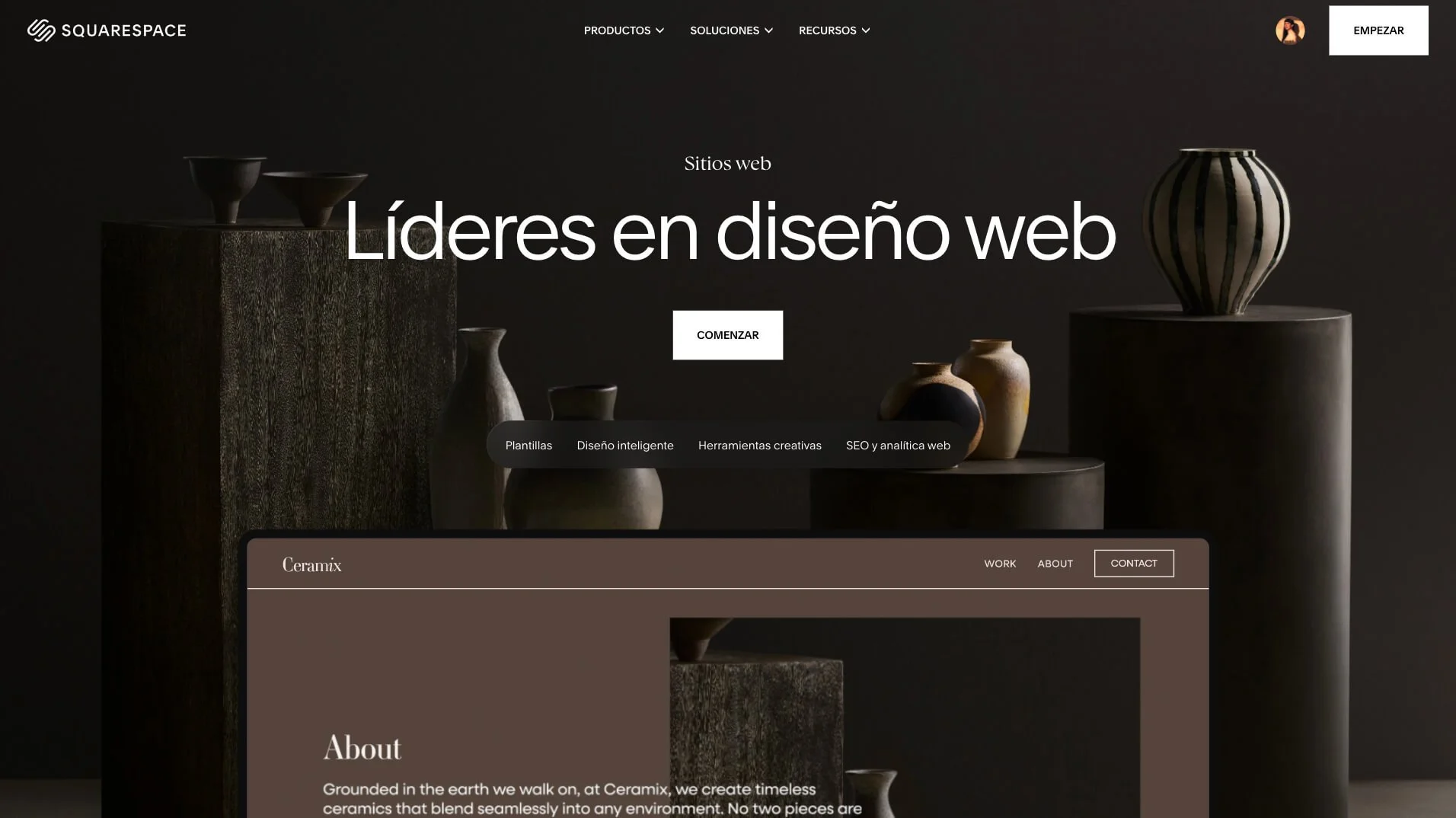
Squarespace is an all-in-one website builder: hosting, domain, templates, a visual editor, and marketing tools are all included in a single subscription. It’s designed so that anyone can create and manage their website without any technical knowledge.
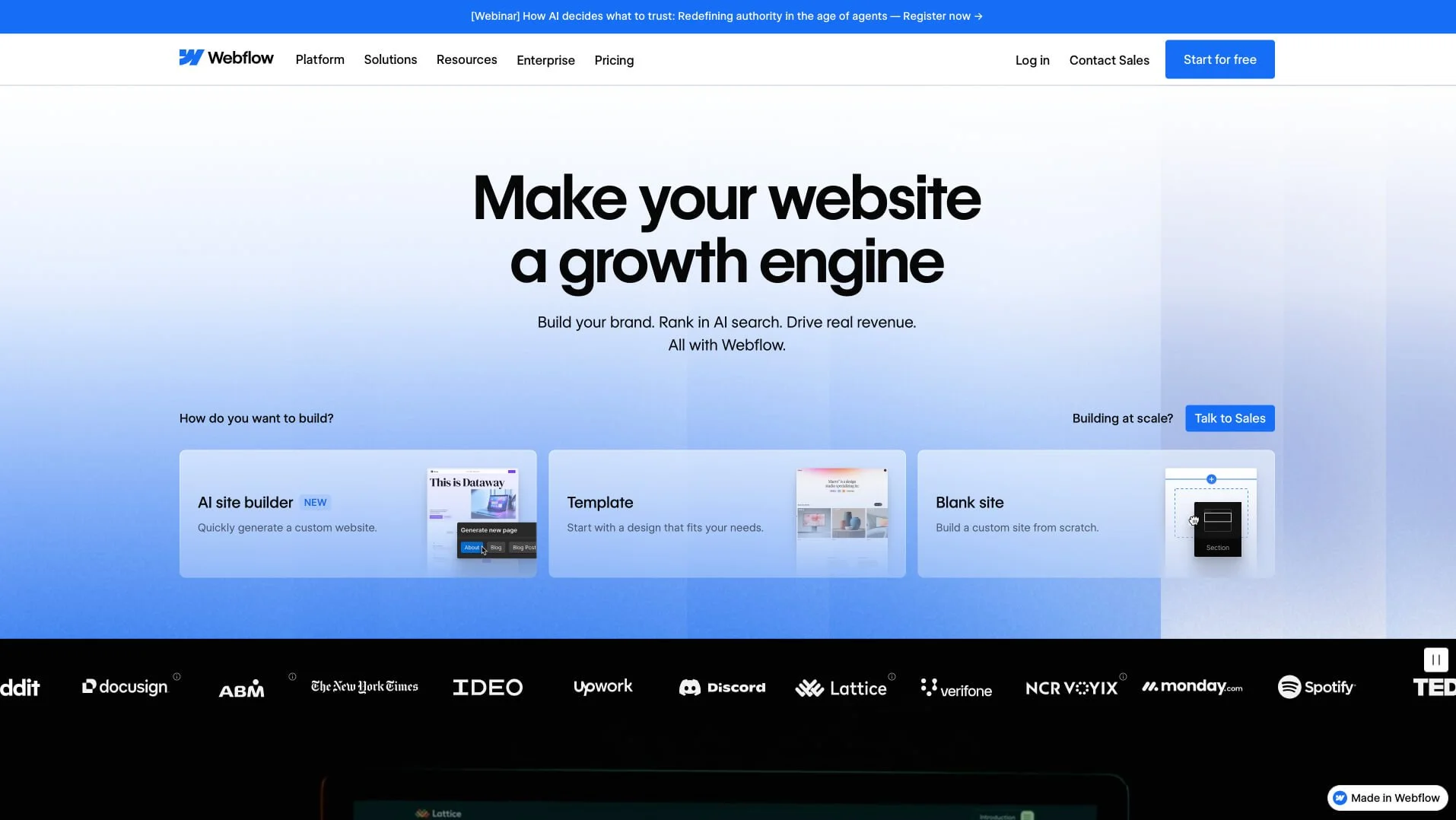
Webflow is a "no-code" visual builder that generates clean HTML/CSS/JavaScript code. It offers much more control than Squarespace, but you need to understand web design and development concepts to use it effectively. It's not for beginners.
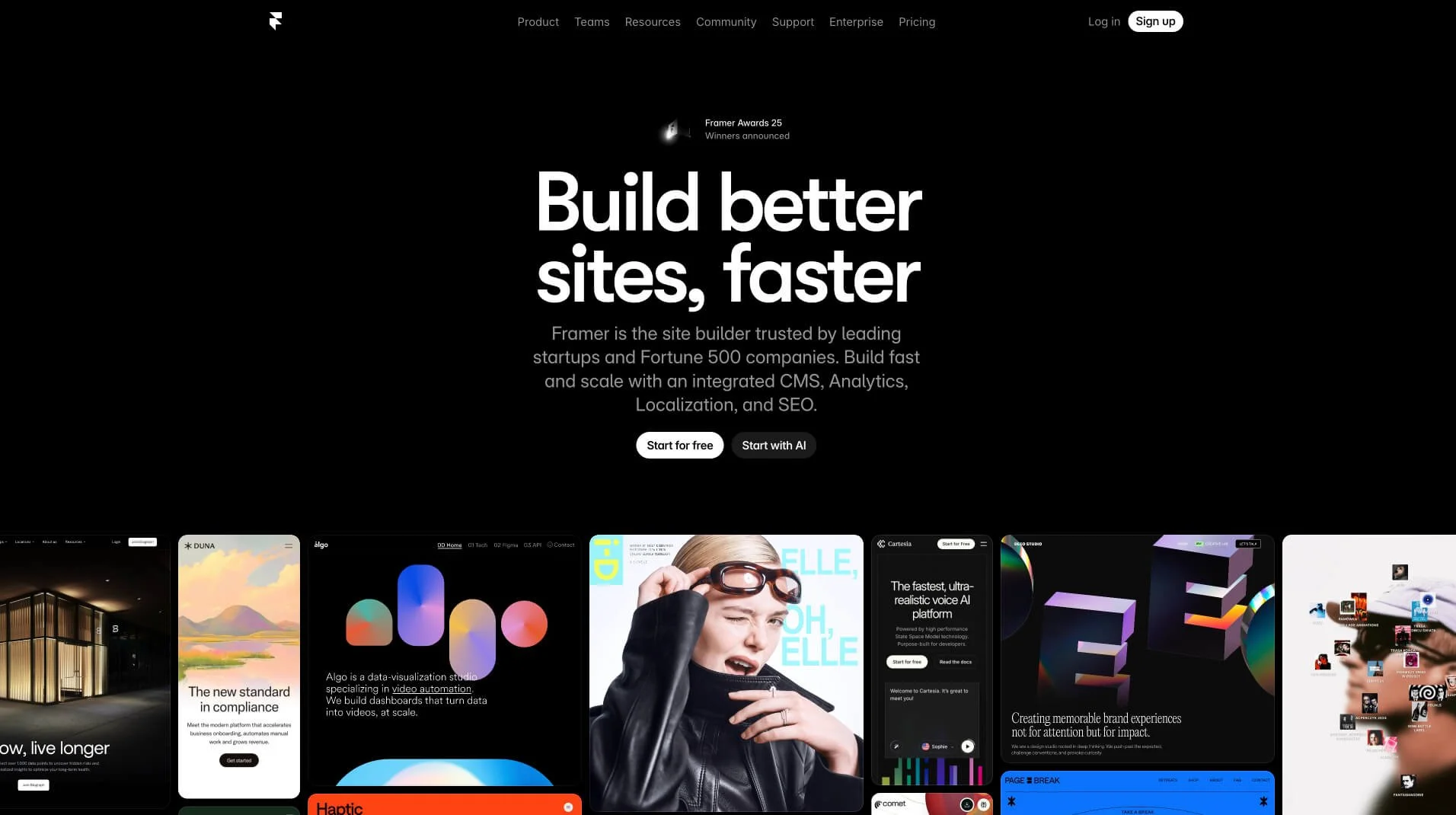
Framer started out as a prototyping tool for designers and has evolved into a web builder focused on advanced animations and interactions. It has a steep learning curve and is primarily intended for product designers and marketing teams with a technical background.
Stability and reliability: Can you build your business here?
One question that doesn't usually come up in comparisons but should always be on the table: Is this platform a safe place to host my business in the long term?
Squarespace is the most established of the three. Founded in 2004, it has over 4 million active customers and has been publicly traded since 2021. Hosting, SSL, updates, and security are all included in the plan price, so you don’t have to worry about any of that. There are no plugins to update, no conflicts between extensions, and no risk of the website “breaking” due to a poorly applied update. For a business without an in-house technical team, this is a huge advantage.
In other words: with Squarespace, the risk of your website going down or breaking due to technical issues is minimal. Maintenance is Squarespace’s responsibility, not yours.
Webflow is also a well-established company with over 3.5 million users and a growing corporate client base. It offers hosting on its own infrastructure (AWS, with over 100 data centers worldwide), which translates to excellent performance. The platform has matured significantly in recent years and is no longer just for early adopters.
Framer is the newest platform and the one that raises the most questions in this regard. It is a Dutch company (Framer B.V.) that has grown very quickly, but whose business model remains less predictable. For corporate websites or businesses that rely heavily on their online presence, this uncertainty is a factor to consider. Furthermore, in October 2025, it significantly changed its pricing structure, which caused quite a bit of discontent among its user community—exactly the kind of move that makes you wonder, “What if they change it again?”
Conclusion:
For businesses that prioritize stability and zero technical maintenance, Squarespace and Webflow are more reliable options.
Framer might be a good option for specific brand projects or campaigns, but I would prefer a more established platform for a business that relies on its website.
Ease of use: Will you be able to manage the website without relying on anyone else?
This is probably the most important question if you want true control over your website.
Squarespace is by far the easiest-to-use platform of the three. The Fluid Engine visual editor (available since 2022) works with a flexible grid that lets you freely place, overlap, and resize blocks (if you know how to use Canva, you can easily learn to use the Squarespace editor). You can add a new page in minutes, change text and images without any technical knowledge, and create a landing page for a campaign without calling anyone. The learning curve is very gentle: most of my clients, who have no technical background, can manage their website completely on their own after launch. This includes things like adding a new service, updating prices, uploading a project to the portfolio, or publishing a blog post. For me, this is one of Squarespace’s biggest real advantages.
Webflow has a very powerful visual interface, but it’s designed for people with knowledge of web design and development. For day-to-day content editing (changing text, uploading a new image), it’s reasonably accessible. But to create a new page or a landing page from scratch, you need to understand the system’s logic: HTML, CSS classes, the difference between structure and style, the CMS system, etc. If your team has someone with a design or digital marketing background who also has technical knowledge, Webflow can work well for management. If not, you’ll have to rely on your agency for any changes that go beyond basic content.
This comes with a real cost that isn’t always mentioned when comparing platforms: it’s not just the price of the plan, but the cost of not being able to make changes on your own. If every time you want to add a campaign landing page or change the text in your services section, you have to wait for your agency to be available and pay for an hour of their time, those costs really add up.
Framer is the most complicated of the three for non-technical users. It’s designed for designers familiar with tools like Figma, and editing content isn’t as intuitive as it is on Squarespace. Editing text in a section with animations may require understanding how the component tree works. For businesses that want real autonomy in day-to-day management, Framer isn’t the most flexible choice.
Conclusion:
If autonomy in management is your top priority, Squarespace is the clear winner.
If you have someone on your team with a technical background, Webflow might be a viable option.
Framer is not intended for non-technical teams.
Core Web Vitals and Speed: What Google Measures
Core Web Vitals are the metrics Google uses to evaluate a website's user experience: page load speed, visual stability, and responsiveness to user interactions. They have a direct impact on search engine rankings.
Squarespacehas historically had a poor reputation for page speed, and this criticism is partly justified, as the platform generates heavy JavaScript that cannot be optimized.
However, the situation isn't as dire as it's made out to be: the platform currently supports modern image formats like WebP automatically, and Core Web Vitals analyses from 2025 show that Squarespace sites perform well on user-centric metrics (such as INP), especially when compared to poorly configured WordPress installations.
Webflowgenerates clean, optimized, and semantic HTML and CSS. It is hosted on AWS, which has over 100 data centers worldwide, and allows for granular control over minification, lazy loading, and image formats. In terms of technical speed, Webflow has a real and documented advantage over Squarespace.
Framergenerally performs well technically, with sites that are well-optimized by default. However, the complex animations and interactions that are its main selling point can add weight to the page and affect loading speed if they aren't implemented properly.
Conclusion:
Webflow leads the way in technical control and speed.
Framer performs well if the animations are properly optimized.
Squarespace is sufficient for most businesses, but if your industry is highly competitive and technical SEO is a strategic priority, the gap between it and Webflow may be a real factor to consider.
Expressiveness: How creative can the designs be?
Squarespacehas improved significantly with the Fluid Engine, which allows for more flexible layouts than those traditionally associated with the platform. And with extensions likeSquareKicker(an advanced design tool that adds over 100 code-free effects: scroll animations, sticky sections, cursor-responsive 3D effects, custom transitions, and more), the range of visual expression expands considerably. Squarespace also announced the Finish Layer in 2025 as part of itsSquarespace for Pros suite, a block-based animation system currently in beta for partners, which promises to narrow the gap with Webflow and Framer in this regard.
The real limitation of Squarespace in terms of design flexibility is that layouts are always constrained by a grid system (rather than pixel-perfect positioning), and some very specific effects still require custom code; however, this limitation applies only to extremely complex designs—something the vast majority of business websites don’t need.
Webflowoffers much more control over design than Squarespace: complete control over the positioning of elements, custom scroll animations, hover and click interactions, and full access to the HTML/CSS structure. You can create virtually any design you can imagine, although for more advanced features you’ll need someone with a solid understanding of the platform.
Frameris the most expressive of the three when it comes to animations and interactions. It’s the platform of choice for product designers and tech startups looking to create websites with plenty of movement, microinteractions, and elaborate visual effects. If you’ve seen those tech startup websites with smooth scroll animations and otherworldly 3D effects, many of them were built using Framer.
Conclusion:
In terms of pure expressiveness, the order is Framer > Webflow > Squarespace.
But for service-based businesses, consulting firms, creative agencies, or brands that don’t need highly elaborate effects, Squarespace can deliver extraordinary visual results without the need to invest in more complex platforms—and without the project costs skyrocketing due to the technical complexity that Webflow and Framer often entail in practice.
Expressiveness and conversion: more isn't always better
Here’s something worth saying out loud, because it goes against the usual narrative.
More elaborate websites don't always convert better. In fact, there is evidence that an excess of animations, complex visual effects, and microinteractions can actually hurt conversion rates if they aren't executed perfectly, because they distract from the main message and can cause confusion or slow down loading times on mobile devices.
Classic conversion optimization studies by the Nielsen Norman Group and the Baymard Institute consistently point to the same conclusions: a clear message, a well-defined visual hierarchy, and fast loading speeds have a greater impact on conversion than visual sophistication.
This doesn’t mean that elaborate websites don’t convert. But it does mean that a highly visual website with lots of animations won’t convert better than a website with a more “simple,” well-designed layout if the message isn’t clear, the navigation is confusing, or the page takes a long time to load on mobile devices.
The key factor in conversion is strategy and design, not the platform.
What does matter from the platform’s perspective: page load speed (especially on mobile) has a documented impact on conversion rates. Google has reported that a 1-second delay in mobile page load times can reduce conversions by up to 20%.
In this regard, Webflow’s technical advantage in terms of speed can translate into a slight edge in conversion rates, especially for websites with high organic traffic.
Price: What You Actually Pay for Each Platform
Note: The prices listed are approximate as of March 2026. I recommend checking the official websites of each platform, as they may have changed.
Squarespace
Squarespace revamped its pricing structure in 2025. The basic plans are designed for content-focused websites, while the higher-tier plans include e-commerce features. Annual billing is significantly cheaper than monthly billing.
Basic: starting at ~€15/month (billed annually)
Core: starting at ~€21/month
Plus: starting at ~€36/month
Advanced: starting at ~€91/month
Check the current prices on Squarespace
For service-based websites without e-commerce, the Core plan is usually sufficient. It includes hosting, SSL, a domain for the first year, and access to all design features.
Webflow
Webflow has a more complex pricing structure, with plans categorized by usage type and no option to pay in euros (European VAT is added at checkout).
Basic: ~$14/month (annual plan, for static websites without a CMS)
CMS: ~$23/month (annual, for websites with a blog or dynamic content)
Business: ~$39/month (annual plan, for websites with higher traffic)
Check the current prices on Webflow
If your designer uses a workspace plan (to manage multiple projects), that comes with an additional cost. And if you need e-commerce features, the prices go up significantly.
Framer
Framer simplified its pricing structure in October 2025, moving to three plans.
Basic: ~€10/month (annual) — very limited: only 1 CMS collection and 30 pages
Pro: ~€30/month (annual) — the go-to plan for most websites
Price: ~€100/month (annual plan only)
Check the current prices on Framer
Keep in mind the actual cost of Framer: the prices for the Basic plan may seem attractive, but many real-world projects require at least the Pro plan. On top of that, you’ll likely need to factor in costs for additional editors (€40/editor/month), translation locales (€20/locale/month), and A/B testing (€50 per 500,000 events). The total cost can add up significantly.
Total Price Comparison
For a service website without e-commerce, managed by the client:
| Squarespace | Webflow | Framer | |
|---|---|---|---|
| Recommended plan | Core (€18/month) | CMS (€21/month) | Pro (€30/month) |
| Approximate annual cost | 216 € | 252 € | 360 € |
| Technical maintenance | None included | None included | None included |
| Self-management | Very easy | Requires a technical background | Difficult |
Important: In addition to these platform costs, you should factor in the time (or agency fees) required to manage the platform in order to get a more complete picture of the website's total cost.
SEO: a topic that deserves its own section
SEO is one of the most common arguments used to favor Webflow over Squarespace, and it’s a valid point… but there are some nuances.
Webflow offers real advantages in technical SEO: it generates clean, semantic code, allows for full customization of robots.txt and sitemaps, provides complete control over schema markup, supports modern image formats (WebP), and lets you customize URL structures without restrictions. For advanced or technical SEO projects, Webflow is the top choice.
Squarespace automatically includes essential SEO features: XML sitemaps, SSL, responsive design, clean URLs, customizable meta titles and descriptions, alt text and WebP, integration with Google Search Console, general schema markup, and 301 redirects. Where it falls short is in advanced technical control: things like the default data structure or certain indexing behaviors require additional configuration to be properly optimized.
According to data from SEOSpace, which has analyzed more than 21,000 Squarespace sites, 86% of Squarespace websites have poor SEO rankings due to poor practices in how users set up their sites, not because of limitations of the platform.
Framer offers competitive technical SEO for most use cases: clean code, fast loading times, and well-implemented essential features. It doesn’t offer the same level of technical control as Webflow, but for a service website or a portfolio, you’ll rarely need that level of detail. The main limitation is that its CMS is more basic than Webflow’s, which can be a drawback if your SEO strategy relies on publishing content at scale.
Conclusion:
If advanced technical SEO is strategic for your business, Webflow has a clear advantage in terms of granular control.
For most service websites, portfolios, and local businesses, Squarespace is perfectly adequate when set up properly.
Framer falls somewhere in the middle: it has cleaner code than Squarespace, but its CMS is more limited than either of the other two—which can be a real drawback if your SEO strategy relies on publishing content regularly and in a structured way.
Squarespace, Webflow, or Framer: Which is the best choice for your business?
After years of designing websites, I can confidently tell you that the tool matters less than it seems. I’ve seen beautiful, highly effective websites built on Squarespace, and expensive, slow websites built on Webflow. I’ve seen businesses come to a standstill every time they needed a change because their agency had built their website on a platform they couldn’t manage on their own. And I’ve seen teams that could update their website in half an hour because they had the right platform for their technical skill level.
After all this, here’s my honest conclusion:
When to Choose Squarespace
Do you want to manage your website on your own without needing a lot of technical knowledge?
Your team doesn't have any expertise in web design or development.
You value stability and zero technical maintenance.
Is your website a portfolio, a service website, a local business website, a professional studio, or a personal brand?
You have an active blog, but it hasn't grown beyond 1,000 posts.
You don't want to add high management costs to your website budget.
When to Choose Webflow
You have (or can hire) someone with web design skills to manage the platform once the website goes live.
Advanced technical SEO is essential for your business.
You need very specific integrations or a complex content architecture.
You want maximum control over the code and technical performance.
Your website is a fairly large-scale project with a dedicated marketing team.
When to Choose Framer
Your team includes designers with a technical background (or you are hiring a specialized agency).
You're looking for websites with the kind of elaborate animations and interactions typically found on tech startups.
It's intended for a specific project (product landing page, campaign website) rather than a long-term corporate website.
You understand and accept the uncertainties of a newer platform.
The platform you choose should make your life easier, not more complicated. And that means choosing the one that best fits your team, your management capabilities, and your goals—not necessarily the one with the most features on paper.
If you're not sure which platform is best suited for your specific project, feel free to reach out to me and we can discuss it.


![How to Sell Online Courses with Squarespace [Updated for 2024]](https://images.squarespace-cdn.com/content/v1/6788d438405dc03eabea6c99/1737020477911-65DRZUM6E66MDXLHVRT9/cursos-Squarespace.jpg)