5 Tips for Creating a Portfolio That Attracts High-Quality Clients

If you offer creative services, having a website that serves as a portfolio is practically a must. Although platforms like Behance, Dribble, or even Instagram can help you reach a wide audience and showcase the projects you’ve worked on, having your portfolio on your own website has some advantages:
you have much more control over the design and content you display on your site,
You can take advantage of the site's SEO to attract more people and help them find your portfolio,
Your visitors can navigate from your portfolio to your services or contact page all within the same site.
All of this makes having a portfolio on your website highly recommended, but it’s not just a matter of uploading any project and calling it a day: creating a good portfolio requires some strategic thinking, so let’s look at a few things to keep in mind.
1. Revamp your portfolio
One of the most common problems with portfolios is wanting to include everything we’ve ever done, when, in reality, a portfolio should be a slightly more strategic selection of content.
When creating your portfolio, keep the following in mind:
Choose the projects you like best or that make you feel the most proud.
Choose projects that are most similar to the kind of projects you want to work on in the future. If you don’t have any projects like that, or if you’re in the middle of shifting the direction or style of your work, create personal or fictional projects that reflect the creative direction you want to take in the future.
It would be a plus if you included projects that, in addition to looking good, have a deeper meaning behind them: this could be the type of client or brand you worked with, or projects that have an additional impact on their environment.
Always keep in mind that the purpose of your portfolio isn't to attract just any client—it's to attract your ideal client.
Don't water down your message; focus it like a laser so it resonates with exactly the type of customer you're looking for.
2. Don't neglect the presentation of your projects
In this case, I believe that form is just as important as content: we want your pieces to stand out, and a design that helps achieve that is essential.
If you use Squarespace for your website, you already have a bit of an advantage: it’s a platform that places a strong emphasis on design and works very well for visually rich sites. Plus, the latest version (7.1) includes a specific page type for portfolios.
You can even start by using some of the templates we’ve designed specifically for portfolios. You can check out our general selection of portfolio templates, as well as a selection tailored for photographers, though I think both work very well for any type of portfolio.
Related: How to Choose a Template for Your Website on Squarespace
On the other hand, if you're using Squarespace 7.0, there are two ways to create a portfolio within a blog:
By adding the “Portfolio” tag to the relevant posts and displaying only those posts on a separate page using a summary block.
Creating a new blog that will serve solely as a portfolio.
Having control over the design is one of the advantages of hosting your portfolio on a website, rather than on platforms like Behance or Instagram, where you’re limited to a predetermined and rigid way of presenting your work.
3. Present your work in an appealing way
In keeping with the theme of paying attention to the design and presentation of your work, I’d like to offer you a very special tip: whenever it’s appropriate for the type of work you do, try to present your pieces using mockups.
The portfolio looks much more professional and polished, and—crucially—it helps potential clients visualize more clearly what their project will look like when it’s finished. It’s true that they require a little more work, but the results are well worth it:
Since I started presenting my projects with mockups, visits to my portfolio have increased significantly.
You can find free mockups on platforms like this one, or you can use paid ones.
I started out using free mockups, but I quickly decided to invest in some paid ones because the results are truly superior—both in terms of the graphics themselves and in terms of time saved (professional mockups are better configured and organized, which makes the process of creating graphics much more efficient).
Some of my favorite professional mockups:

Moyo Studio Free Pack*
Moyo Studio is one of the best, and they offer a free package that includes some mockups.

Mila - Moyo Studio*
A kit designed for displaying artwork on 5x7-inch cards.
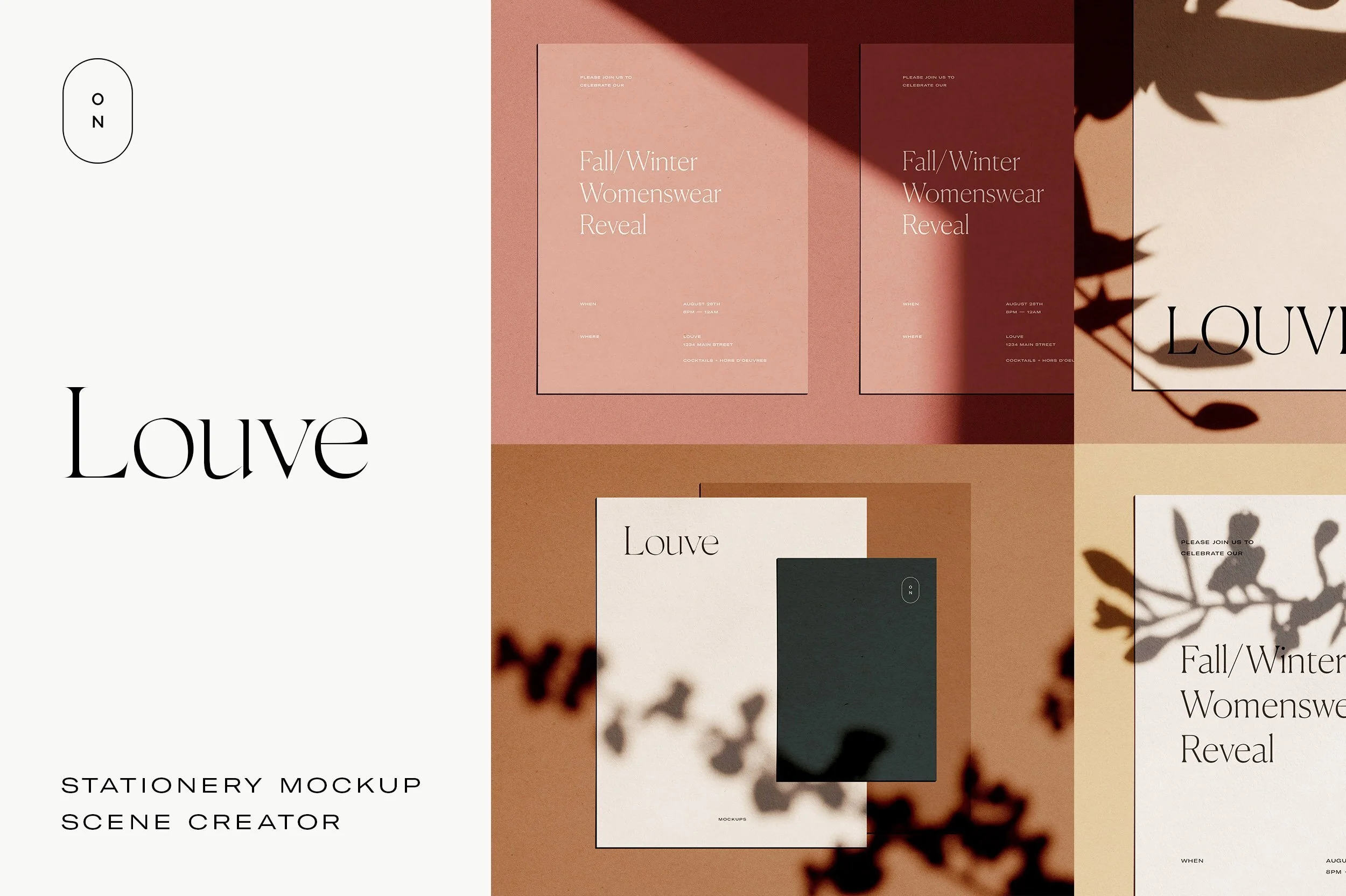
Louve - October November*
Stationery in various formats and sizes.

Caro - Moyo Studio*
A scene builder with a very minimalist style, ideal for websites and apps.

Frame Mockup - Ruben Stom*
Different frame sizes.
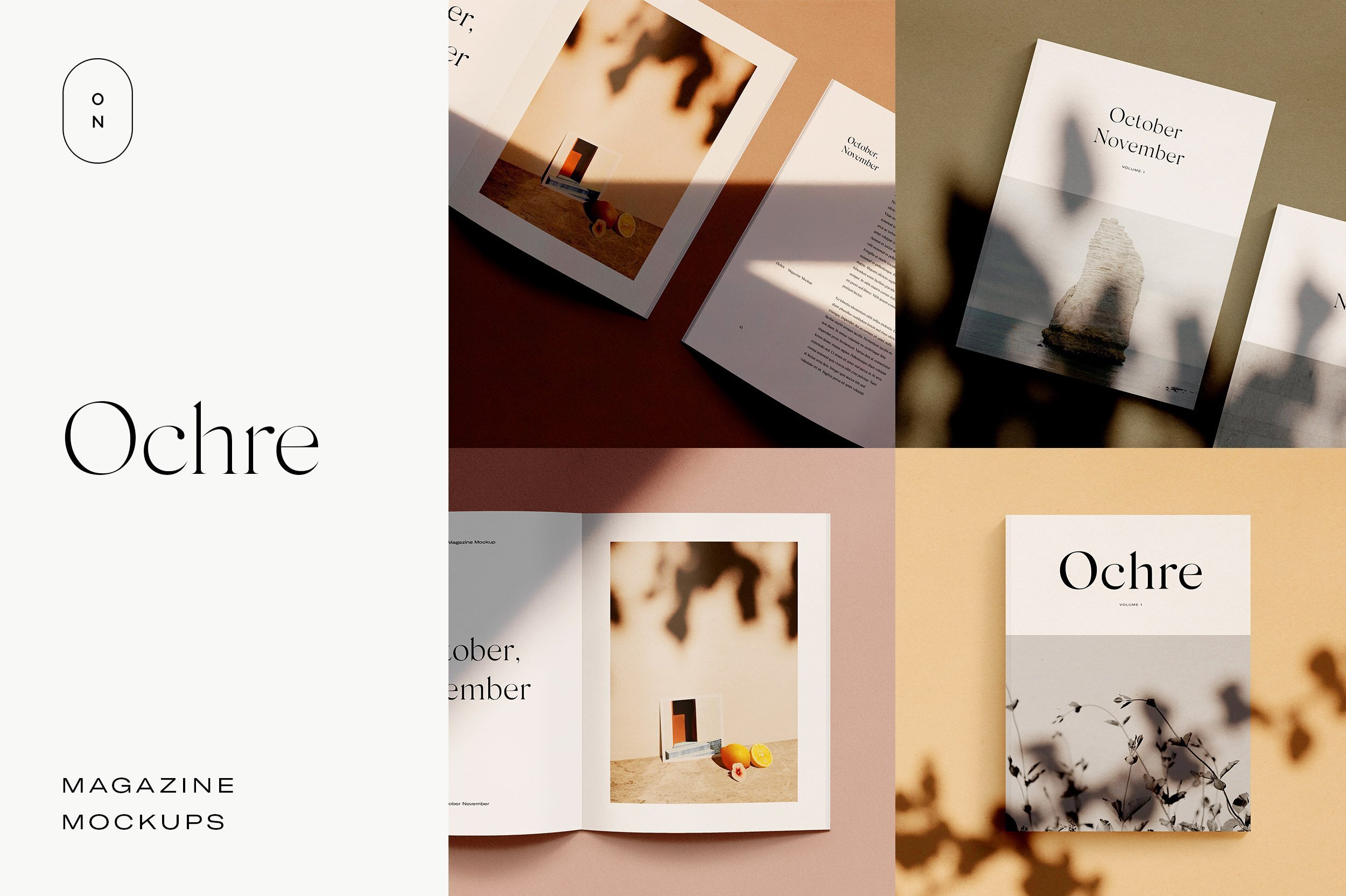
Ochre - October November*
A magazine-style mockup.

Deia - Moyo Studio*
Perfect for labels or general stationery. Includes elements for a mood board.

Table - Sparrow & Snow*
To create different types of realistic mood boards.
4. Keep your portfolio up to date
It often happens that, as our schedule fills up with client work, we start neglecting the very things that brought those clients to us in the first place: posting on the blog, staying active on social media, updating our portfolio… And believe me, I’m the first one to be guilty of this, but that doesn’t mean it’s okay. It’s not about beating ourselves up when it happens, but we should try to establish a routine so we don’t let too much time go by without updating our portfolio.
My recommendation is that you set up a recurring calendar reminder every 3 months (or as often as you like) and set aside that day to review your portfolio and see which new pieces you can add and which ones you can remove.
Remember, it’s not about having too many pieces in your portfolio, but rather just those that truly showcase the best of your work and attract the most ideal clients.
5. Include more than just images
Something I see very often in creative portfolios is that they only include images of the project. On the one hand, I understand… if you’re a very visual person, you might find it a bit difficult to write.
However, sometimes we need a little context to better understand what the project is about.
Here are a few things you can include that won't take much time:
Customer (and the market they belong to).
Project objective.
Customer testimonial (we don't always have these, but it's great if you can include one).
Ideally, a brief explanation of your workflow (how you approached the client’s problem and how you arrived at a solution).
Finally, if you share credit with another professional, it’s a nice gesture to mention them in the project.
All of this might take you a couple of paragraphs, but it really adds a lot of context to your work, allowing readers to appreciate it more fully.
In general, these are the main recommendations for creating a portfolio on your website.
If you'd like to learn more about professional portfolios, check out these courses on Domestika (affiliate links):